Style and themes
Everything on this page is a keyword of slide_mode_settings. The style also applies to the notebook outside slide mode, so what you edit looks like what you present.
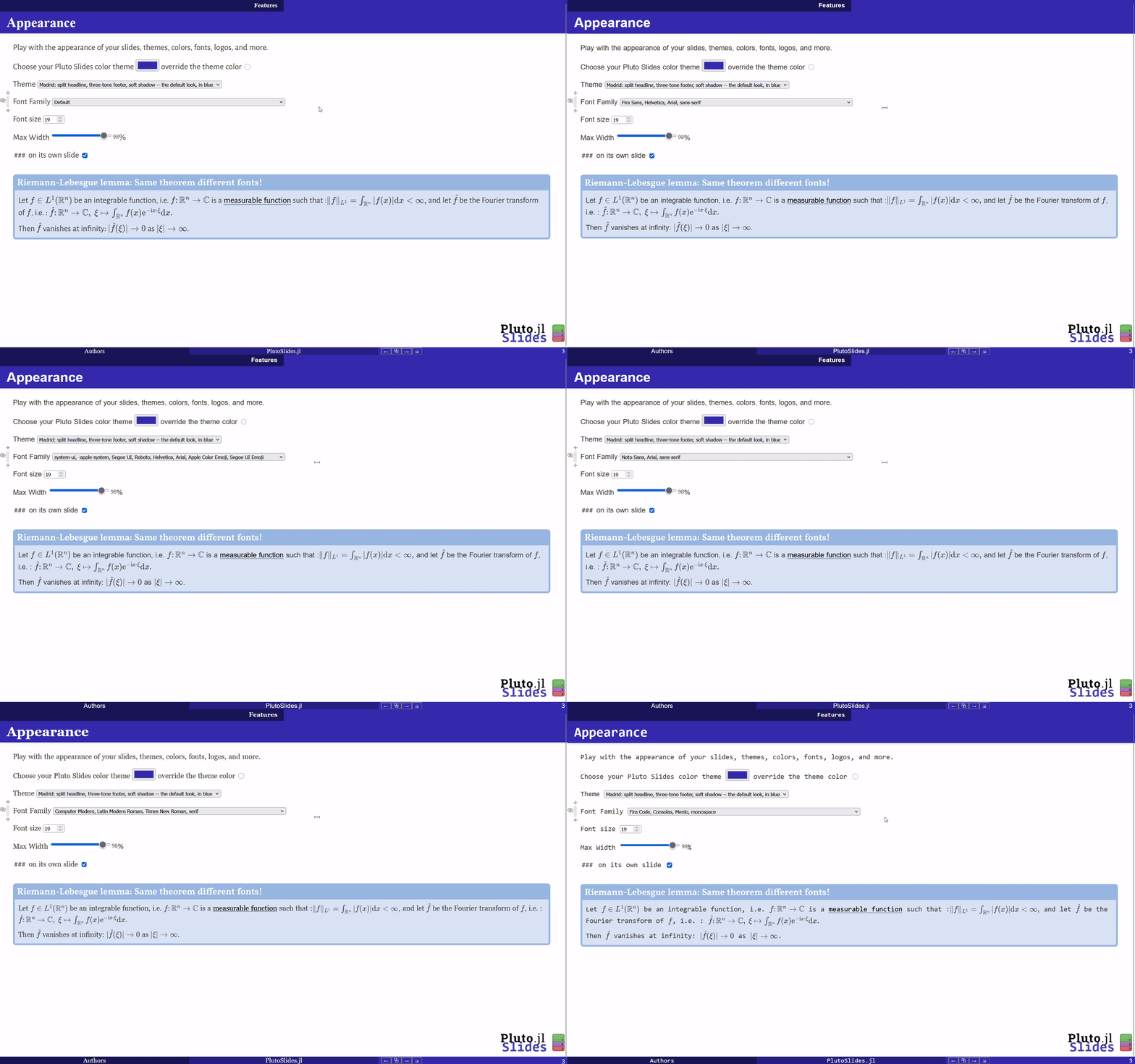
Layout and fonts
slide_mode_settings(max_width="1800px", font_family="'Fira Sans', Helvetica, sans-serif", font_size=22)| keyword | default | effect |
|---|---|---|
max_width | "98%" | maximum width of the notebook content |
font_family | nothing | CSS font-family stack used everywhere (text, bands, title slide) |
font_size | 19 | root font size in px; nothing keeps Pluto's own |
h3_title | true | ### headings start their own slide |
footer_left, footer_center | " ", "" | footer contents (text, md"...") |
Everything is sized in rem/em, so font_size rescales the whole slide (bands, headings, PDF export). The browser default, 16 px, is small on a projector; 19 px fits a 98%-wide slide without reflowing most decks.
Themes
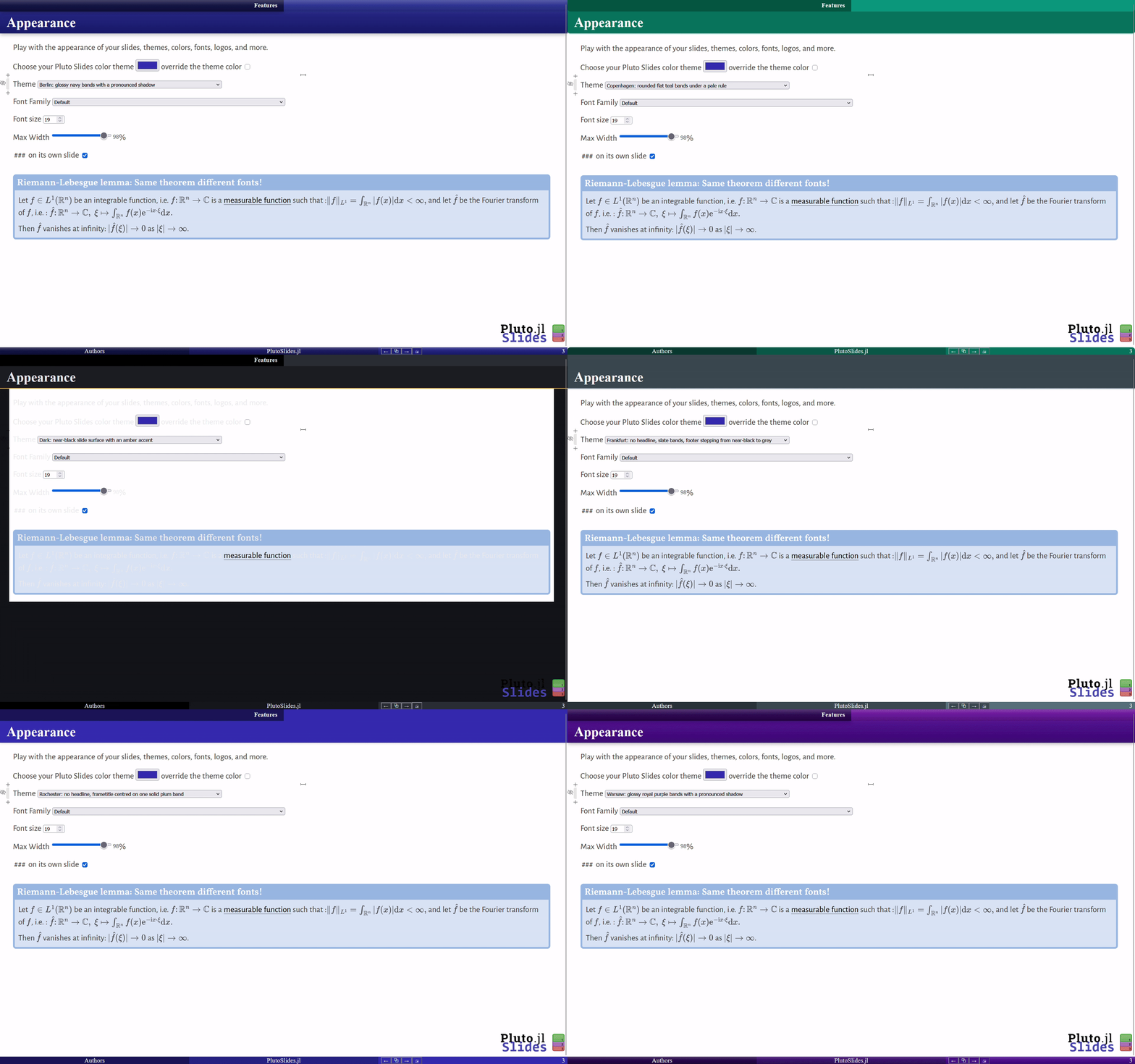
A theme sets a palette and a band style at once, like Beamer's \usetheme. Any keyword you also pass wins over the theme, like \setbeamercolor:
slide_mode_settings(theme=:Berlin)slide_mode_settings(theme=:Berlin, color_subtitle_bg="#B00020") # Berlin, in redavailable_themes(; descriptions=true) # list themIf a theme seems to have no effect, check that you are not also passing the keyword it sets.
| family | themes | look |
|---|---|---|
| split | :Madrid (default), :Coral | headline cut in two, three-tone footer, soft shadow |
| shaded | :Berlin, :Warsaw | the same bands, glossy and deeply shadowed |
| smooth bars | :Singapore, :Copenhagen | flat bars with rounded free corners |
| plain | :Boadilla, :Journal | no fills: rules and colored text only, no headline |
| block | :Rochester, :Frankfurt | no headline, one solid band for the frame title |
| dark | :Dracula, :Dark | dark slide surface with light text |
theme also accepts a NamedTuple or Dict of any keywords, as a reusable custom theme; an unknown key errors instead of being ignored:
my_theme = (color_subtitle_bg="#0F766E", band_radius="12px", band_shadow="none")slide_mode_settings(theme=my_theme)Dark themes repaint the slide background (in slide mode and PDF only, never in the editor). Check plots with a transparent background.
Colors
Setting the structural color color_subtitle_bg is usually enough. The other bands derive from it by mixing with black (mix_black) or, for the pale block behind an h3, with white (mix_white), as in Beamer:
| keyword | default |
|---|---|
color_subtitle_bg | "#3333B3" |
color_title_bg (top-left band) | mix_black(color_subtitle_bg, 0.5) |
color_title_right_bg, color_controls_bg, color_footer_right_bg | color_subtitle_bg |
color_footer_center_bg | mix_black(color_footer_right_bg, 0.25) |
color_h3_bg | mix_white(color_footer_right_bg, 0.85) |
color_footer_left_bg | mix_black(color_footer_right_bg, 0.5) |
color_band_text | "#ffffff" |
color_title_text, color_subtitle_text, color_footer_text | color_band_text |
color_h1, color_h3, color_h3_border | "#000000", "#333333", color_subtitle_bg |
color_page_bg, color_text | unset (slide surface, used by dark themes) |
slide_mode_settings(color_subtitle_bg="#ff7f50") # the whole palette follows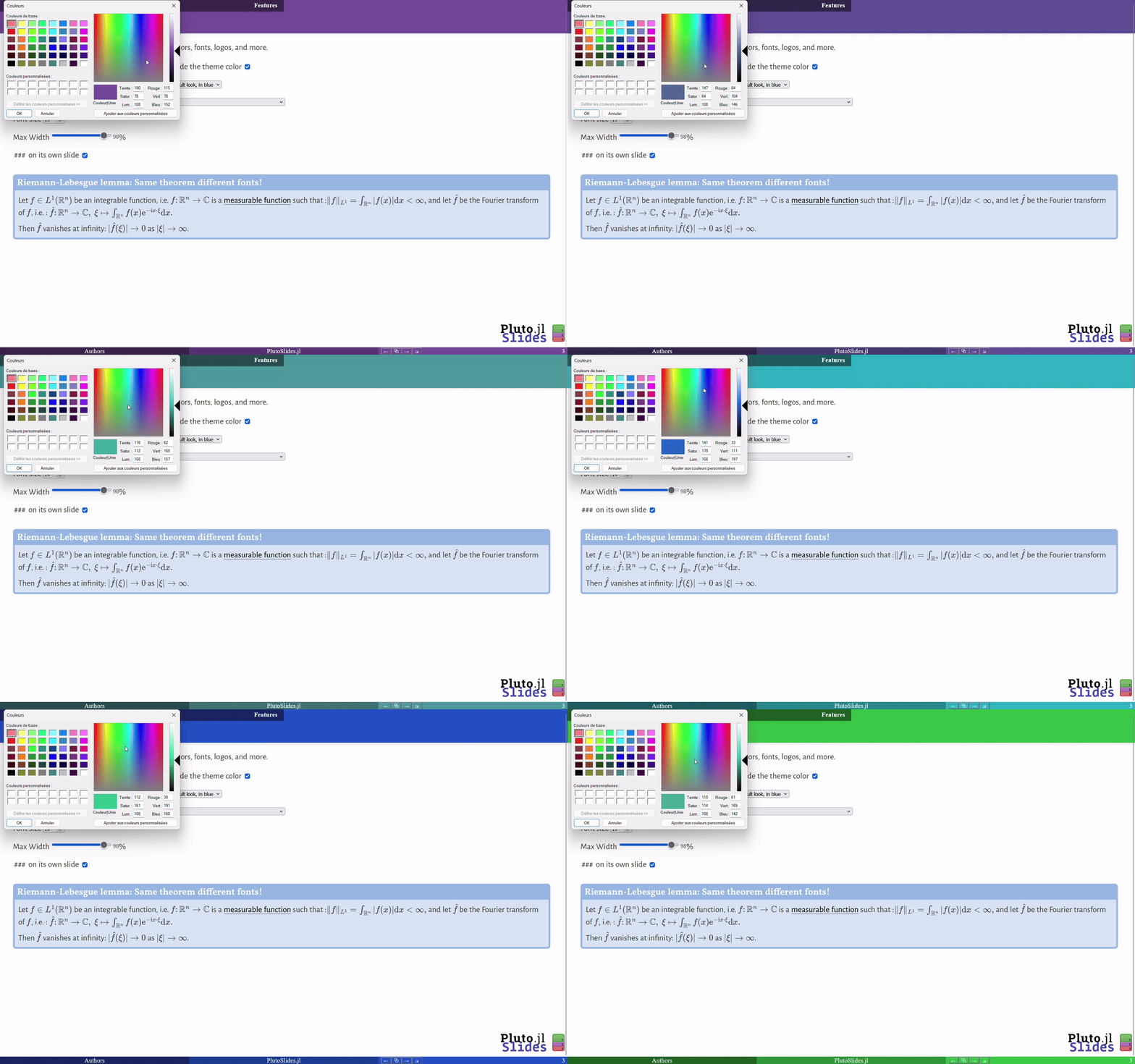
Band style
These keywords change how the bands are painted, never their size (the slide layout depends on it):
| keyword | effect |
|---|---|
band_overlay | CSS image painted over every band, e.g. a gloss. Use a vertical (to bottom) gradient so the three footer boxes read as one bar. |
band_radius | rounds the free corners of the bands, e.g. "12px" |
band_shadow | shadow of the title bands, e.g. "none" |
subtitle_border, footer_border | rule under the slide title, hairline above the footer |
subtitle_align | "left" (default) or "center" |
show_title_band | false removes the top band |
slide_mode_settings(theme=:Warsaw, band_radius="10px", band_shadow="none")slide_mode_settings(color_subtitle_bg="#0F766E", subtitle_border="3px solid #99F6E4")Logos
logo puts one or more items on every slide (slide mode and PDF, not the editor). An item can be a URL or file path, a Resource/LocalResource, md"..." or HTML. Per-logo options take a single value or one value per logo:
slide_mode_settings( logo=["uni.png", md""], logo_position=["top-right", "bottom-left"], logo_height=[48, "36px"], # numbers are pixels)| keyword | effect |
|---|---|
logo_position | an anchor, or CSS coordinates (see below); default "top-right" |
logo_height | height, e.g. 48 or "3em" |
logo_opacity | 0 to 1 |
logo_offset_x, logo_offset_y | move an anchored logo away from its edge; on "top-center"/"bottom-center", logo_offset_x slides it along the band |
The anchors are "top-left", "top-right", "bottom-left", "bottom-right", "top-center" and "bottom-center". For anything else, give coordinates with the keys top, bottom, left, right and transform ((x, y) is short for (left=x, top=y)). They are relative to the screen in slide mode and to the page in the PDF:
slide_mode_settings(logo="logo.png", logo_position=(top="12%", right="3em"))# a centered watermarkslide_mode_settings(logo="mark.png", logo_opacity=0.15, logo_position=(top="50%", left="50%", transform="translate(-50%, -50%)"))To find a local file anywhere under a folder, use the extra LocalResource(dir, path) method. For a notebook you share, prefer online images.